
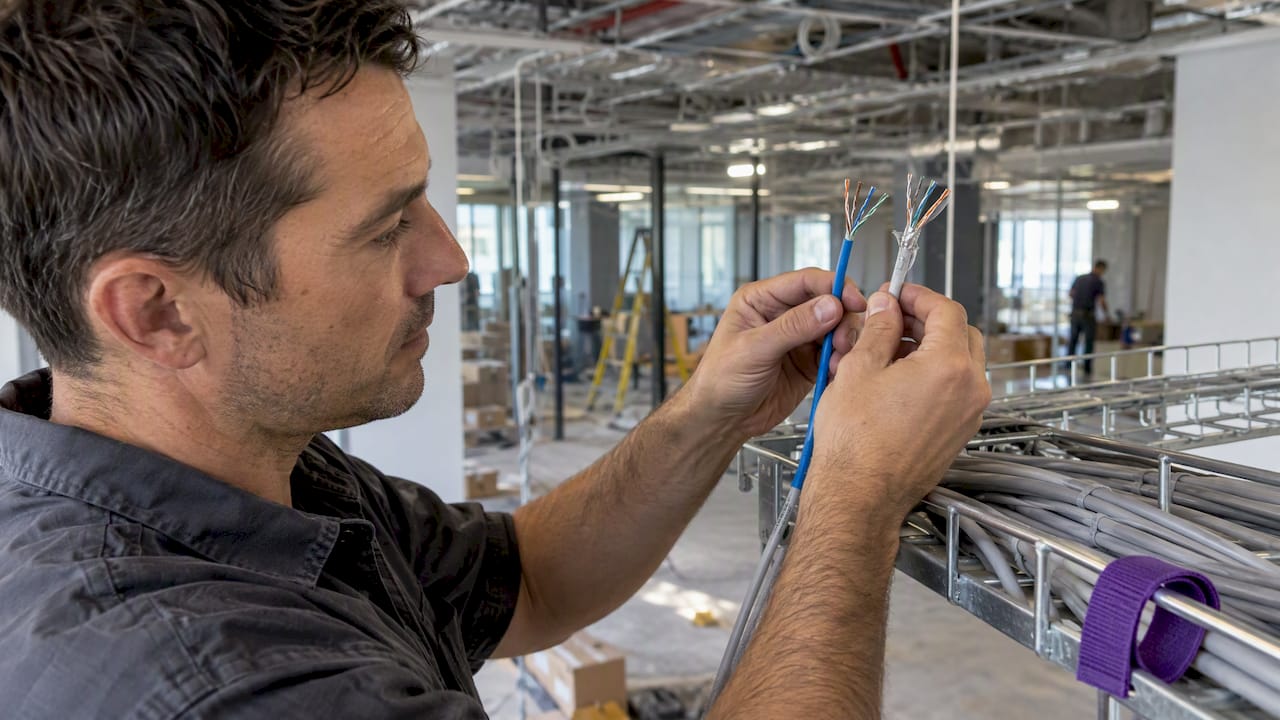
For a new commercial office in Australia, specify Cat6a. It carries 10 Gbps over the full 100 metre channel, while Cat6 holds 10 Gbps only over much shorter runs, typically 37 to 55 metres depending on how the cables are bundled. Cat6 is still a sensible, cheaper choice in a small refresh where the existing pathways are tight and nobody needs 10 Gbps. This guide explains the real differences, where each one wins, and how to make the call before the ceiling goes back up.
TL;DR
- Cat6a supports 10 Gbps at 100 m and 500 MHz. Cat6 is rated to 250 MHz and loses 10 Gbps reliability on longer or heavily bundled runs.
- Choose Cat6a for new fit-outs, high-wattage PoE devices such as Wi-Fi 7 access points, and any building you expect to occupy for five years or more.
- Cat6 can still make sense for a minor refresh with tight existing pathways and no 10GbE requirement.
- Cat7 is not a recognised category under Australian cabling guidance. Specify Cat6a instead.
- The cable is only one part of the channel. Jacks, patch panels and leads must match the rating or the link will not certify.
Table of Contents
- The short version of the difference
- Why 10 Gbps range is the real dividing line
- Power over Ethernet and Wi-Fi 7
- The trade-offs of Cat6a
- And Cat7?
- Cat6 or Cat6a: a decision guide for your project
- What re-cabling costs when you get it wrong
- Where cabling fits in the fit-out timeline
- Common mistakes to avoid
- How we approach it at Niche Projects
- FAQ
- Sources
The short version of the difference
Both cables are four-pair copper twisted-pair cabling with an 8P8C (RJ45) connector, and both run gigabit Ethernet to 100 metres without fuss. The gap opens at 10 Gigabit.
| Cat6 | Cat6a | |
|---|---|---|
| Bandwidth | 250 MHz | 500 MHz |
| 10 Gbps reach | Roughly 37 to 55 m, depending on bundling | Full 100 m channel |
| Alien crosstalk | Not specified to the level 10G needs at range | Engineered and specified for it |
| Typical outer diameter | About 5.5 to 6 mm | About 7 to 8.5 mm |
| Cost | Lower | Higher cable and installation cost |
| Best fit | Small refreshes, gigabit-only needs | New commercial fit-outs, PoE-heavy offices |
On paper Cat6 can carry 10 Gbps, which is why many people assume the two are interchangeable. That is exactly where projects go wrong, and the reasons are alien crosstalk, heat and space.
Why 10 Gbps range is the real dividing line
Alien crosstalk
When cables run side by side in a tray, the signal in one leaks into its neighbours. Leakage inside a single cable is manageable. Leakage between cables is called alien crosstalk, and it cannot be cancelled out electronically in the same way. It becomes a significant noise factor in 10GBASE-T, 5GBASE-T and 2.5GBASE-T networks running on Cat6 and Cat5e, and Cat6a is built with a tighter pair twist, a larger spline and thicker insulation and jacketing to suppress it. Cat6 does not carry the specific alien crosstalk limits needed to guarantee 10 Gbps at 100 metres.
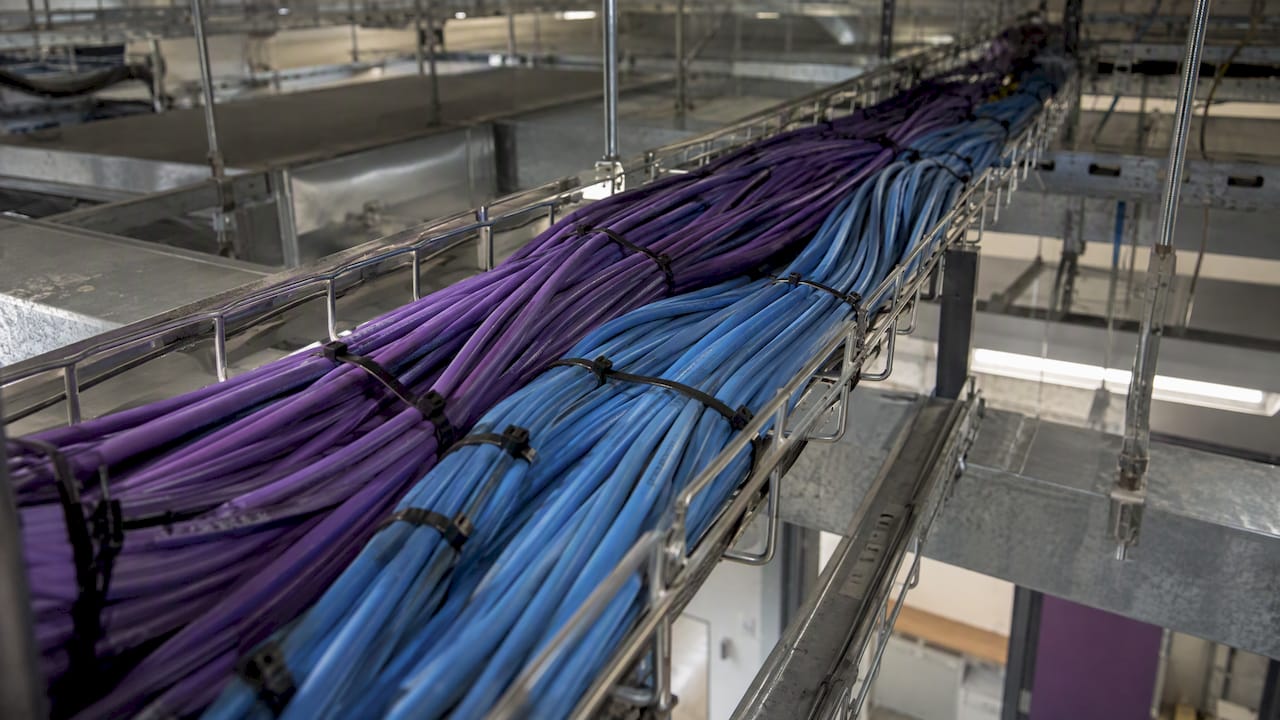
In an office, cables rarely run alone. They are bundled by the dozen into trays and risers, which is the worst case for Cat6. A cable that tests fine on a bench can fail certification once it is dressed into a full tray.
What it means for a real floor
Take a typical open-plan floor with a comms room at one end. Desk outlets near the room are well within 37 metres. Outlets at the far end of a long floor, or on a floor served from a riser, can easily exceed it once you count the vertical rise, the detour around structure and the slack left for re-termination. Specifying two cable types on one floor creates a maintenance headache, and moving a desk later can turn a short run into a long one. Cat6a removes the question.
That said, most desks today do not need 10 Gbps. A standard workstation is well served by gigabit. Where 10 Gbps does show up in offices is in uplinks, servers, creative and video workstations, and increasingly in wireless access points that need more than a gigabit of backhaul.
Power over Ethernet and Wi-Fi 7
The second reason Cat6a has become the default is power. Office networks now power access points, IP cameras, door controllers, displays and desk phones through the same cable that carries data.
Current high-power PoE is defined in IEEE 802.3bt. Panduit’s APAC guidance describes Cat6a as the minimum recommended category for 802.3bt deployments in professional environments. Cat6a has lower DC resistance and sheds heat better in a dense bundle, so it handles higher power levels more safely than Cat6 (the same source cites up to 71 W and 960 mA for the highest-power devices). Heat builds up inside a bundle, and a bundle of Cat6 carrying high-power PoE is where problems start.
Panduit also notes that Category 6A is recommended for a broader range of applications, including wireless access points. If your fit-out includes a Wi-Fi 7 deployment, ceiling-mounted access points and IP security, the cable behind them should be chosen for that load, not for the cheapest quote.
CommScope describes Cat 6A as a standard designed to support 10GBASE-T at frequencies up to 500 MHz, building on the performance of Cat6 by significantly reducing crosstalk. For a business that expects to add devices each year, that headroom is the point.
The trade-offs of Cat6a
Cat6a is not free of downsides, and an honest brief should name them.
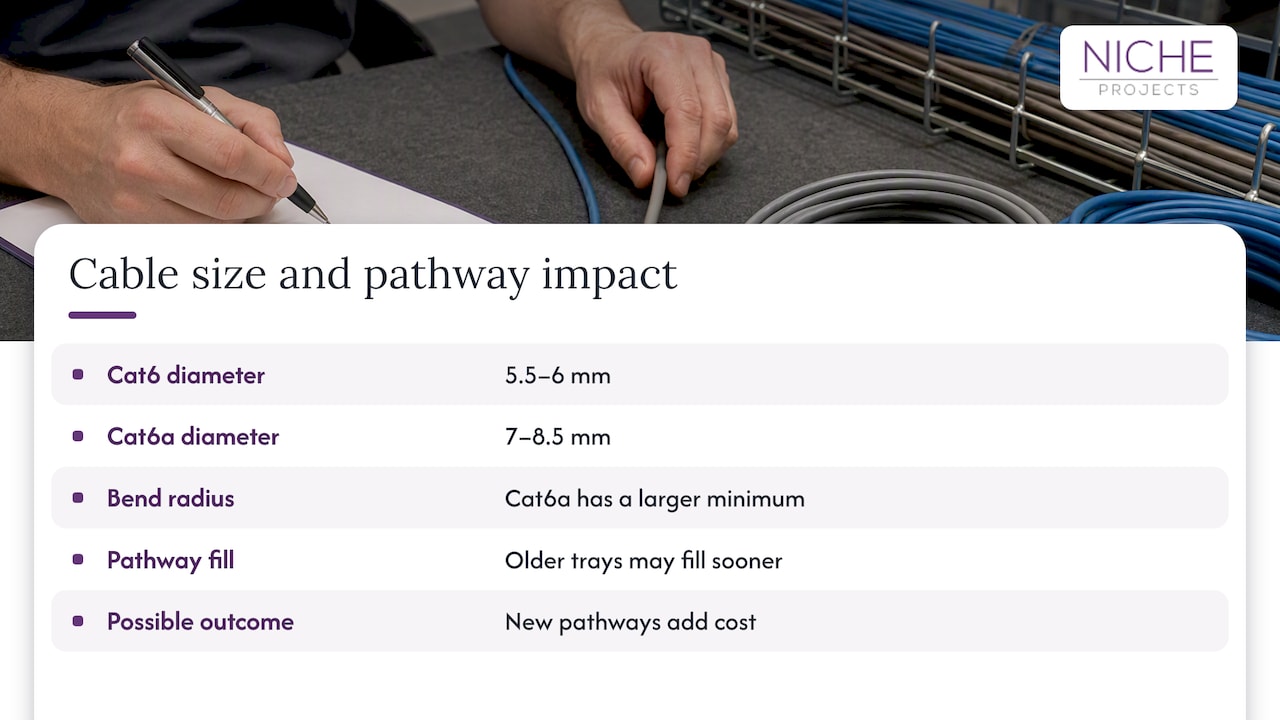
It is bigger and stiffer. With a diameter of roughly 7 to 8.5 mm against 5.5 to 6 mm for Cat6, and a larger minimum bend radius, older cable trays and conduits can reach maximum fill much sooner than expected. In a tired building this can mean new pathways, which is a real cost. Check this before you commit to the cable, not after.
It costs more. The cable is dearer, termination takes longer and testing is stricter. The incremental cost is usually modest relative to total project expenses when it is done at initial fit-out, but it is not zero. Ask your cabling contractor for a Cat6 and a Cat6a quote on the same scope and compare the two numbers, rather than guessing.
It only works if the whole channel matches. There is a common belief that putting in Cat6a automatically makes the network faster. In reality a link performs at the level of its weakest component. If a contractor pulls Cat6a but terminates it on Cat6 jacks, patch panels or patch leads, the channel will not certify to Cat6a and the extra spend on cable is wasted. Southwire makes the same point from the other direction: network performance is only as strong as the weakest component.
And Cat7?
Cat7 is the other half of what many people search for, because the number is higher and so it sounds better. It is not the better office choice in Australia.
- Independent Australian cabling specialists point out that Cat7 is not a category recognised under the AS/CA S008 cabling requirements, and that it offers no performance advantage over Cat6a for standard 10GBASE-T.
- Cat7 products sold with RJ45 connectors cannot be certified to the Cat7 standard. Tested against Australian requirements they default to Cat6a performance, at a higher price.
- Category 7 and 7A refer to performance standards recognised primarily in Europe, with very limited adoption globally.
- The frequency number on a spec sheet (600 MHz for Cat7 against 500 MHz for Cat6a, per this comparison) matters little when the switches and network cards in a normal office top out at 10GBASE-T.
If a quote lists Cat7 or Cat8 for ordinary desk and access point outlets, ask why. In nearly every office the answer is Cat6a, installed and certified properly.
Cat6 or Cat6a: a decision guide for your project
Match the cable to the project, not the other way round. Experts caution that Cat6a everywhere is not always the right strategy, and the right answer depends on what you are doing.
| Your situation | Lean towards |
|---|---|
| New fit-out or full refurbishment, lease of five years or more | Cat6a |
| Wi-Fi 7 access points, IP cameras or other high-power PoE devices | Cat6a |
| Runs near or beyond 37 m, or long bundled trays | Cat6a |
| Servers, creative or video workstations, 10G uplinks | Cat6a |
| Minor refresh, gigabit only, existing pathways full or hard to access | Cat6 may be pragmatic |
| Short-term space with a fixed exit date | Cat6 may be pragmatic |
| Temporary or very low-demand areas, such as a small storage room | Cat6 |
Questions to ask before you decide
- How long will you be in this space? The longer the occupancy, the more a one-off cabling decision pays back.
- What is on the network today, and what will be in two years? Count access points, cameras, screens, phones and any device that draws power from a data port.
- How long is the longest run? Measure along the actual route, not in a straight line on the plan.
- What do the existing pathways look like? Trays and conduits that are almost full change the economics of Cat6a.
- Who certifies the result? Ask for test results at the standard you paid for, not just a statement that cable was installed.
What re-cabling costs when you get it wrong
The usual argument for Cat6a is longevity. Cat6 may be adequate for today’s lower-bandwidth needs, but re-cabling an office in five to ten years carries significantly higher labour costs than getting it right when the ceilings are already open. Pulling new cable through a finished, occupied floor means after-hours work, ceiling tile access, patching and disruption to staff.
This is the same logic that applies to every infrastructure decision in a fit-out: it is far cheaper to decide once, early, while walls and ceilings are open. We cover that thinking in more depth in our guides on future-proofing your digital infrastructure through smart fit-out design and future-proofing your office investment. If you are weighing an upfront fit-out budget against what you will need from the network later, or you are planning a move, this office relocation step by step guide is a useful companion for sequencing the work and the costs.
Where cabling fits in the fit-out timeline
Cabling is one of the first things that has to be settled, because so much depends on it. A practical sequence for a fit-out looks like this.
- Brief and needs assessment. List devices, desk numbers, meeting room technology and the wireless plan. Our guide to assessing your needs before an office fit-out and the pre-design checklist help structure this.
- Space plan and outlet schedule. Outlet positions follow the furniture layout. Change the layout after cabling and you pay for it twice.
- Pathway check. Confirm tray and conduit capacity against the larger Cat6a diameter and bend radius, especially in an older building.
- Specification. Write the category for the whole channel: cable, jacks, patch panels and patch leads, plus the certification test you expect.
- Installation and testing. Cabling goes in before ceilings close and before final finishes. Test results come before handover.
- Handover documentation. Keep the test reports and labelling schedule. They are your proof when something fails later.
If the work happens while staff are still in the space, add planning for noise, after-hours windows and access. See the challenges of an office fit-out in a live environment and managing your office fit out.
Common mistakes to avoid
- Buying the cable and ignoring the channel. Mixed-category components cap the link at the lowest rating.
- Specifying by the biggest number. Cat7 and Cat8 add cost and compatibility problems in an ordinary office without a matching benefit.
- Skipping the pathway survey. A tray that looks fine can be full once thicker cable goes in.
- Designing outlets before the layout. Desks move; outlet counts and positions should reflect the final plan, with some spare capacity.
- Accepting no test report. Ask for certification results against the category you specified.
- Forgetting wireless. Access points are among the heaviest users of PoE. Plan their cabling like a core service, not an afterthought.
How we approach it at Niche Projects
We are a workplace strategy, design and fit-out business, and cabling decisions sit inside the wider project: layout, technology, ceilings, services and budget. Getting the category right early is part of delivering a space that suits your organisation instead of one you need to open up again in a few years. If you are planning a new fit-out or a refurbishment in Sydney, our team can talk through your technology needs as part of office fitout and refurbishment, or start earlier with workplace strategy to establish what your space actually has to support. You can also begin with our free office space plan.
Final cabling specifications should be confirmed with your licensed cabling contractor and tested against the applicable Australian requirements, including AS/CA S008, for your building.
FAQ
What is the difference between Cat6 and Cat6a?
Cat6a is rated to 500 MHz and supports 10 Gbps over the full 100 metre channel. Cat6 is rated to 250 MHz and holds 10 Gbps only over shorter distances, commonly quoted at 37 to 55 metres. Cat6a is also thicker and costs more.
Which is better, Cat6 or Cat6a?
For a new commercial office, Cat6a is the better choice because it handles 10 Gbps at full distance and higher-power PoE in dense bundles. For a small refresh with gigabit needs and cramped pathways, Cat6 can be the more practical choice. Decide on the devices you run and the length of your longest cable.
Is Cat6a worth it for a small office?
It depends on the lease and the plan. If you will be in the space for years and expect Wi-Fi 7 or PoE devices, the modest extra cost at fit-out usually beats re-cabling later. If you are staying briefly and only need gigabit, Cat6 will do the job.
Should I choose Cat7 instead of Cat6a?
No. Cat7 is not recognised under AS/CA S008, and with RJ45 connectors it cannot be certified as Cat7. It will perform as Cat6a at a higher cost.
Will Cat6a make my internet faster?
Not by itself. Your internet speed is set by your service plan and equipment, and an internal link only runs as fast as its weakest component. Cat6a matters for internal 10 Gbps links and PoE, not for the speed you buy from your provider.
Sources
- Ethernet category standards: Cat1 to Cat8, Access Comms
- Cat6 vs Cat6a: 10GbE Distance, Shielding and Which to Buy, Cable Leader
- Choosing Between Cat6A and Cat6 Cables, Panduit APAC
- What is Cat 6A and how is it the best choice for enterprise networks, CommScope
- Cat6 vs Cat6a vs Cat7: which 10G Ethernet cable wins, FS
- Category 7 and 7A cabling concerns, Panduit
- Cat 6A vs. Cat 7 reference guide, Southwire