
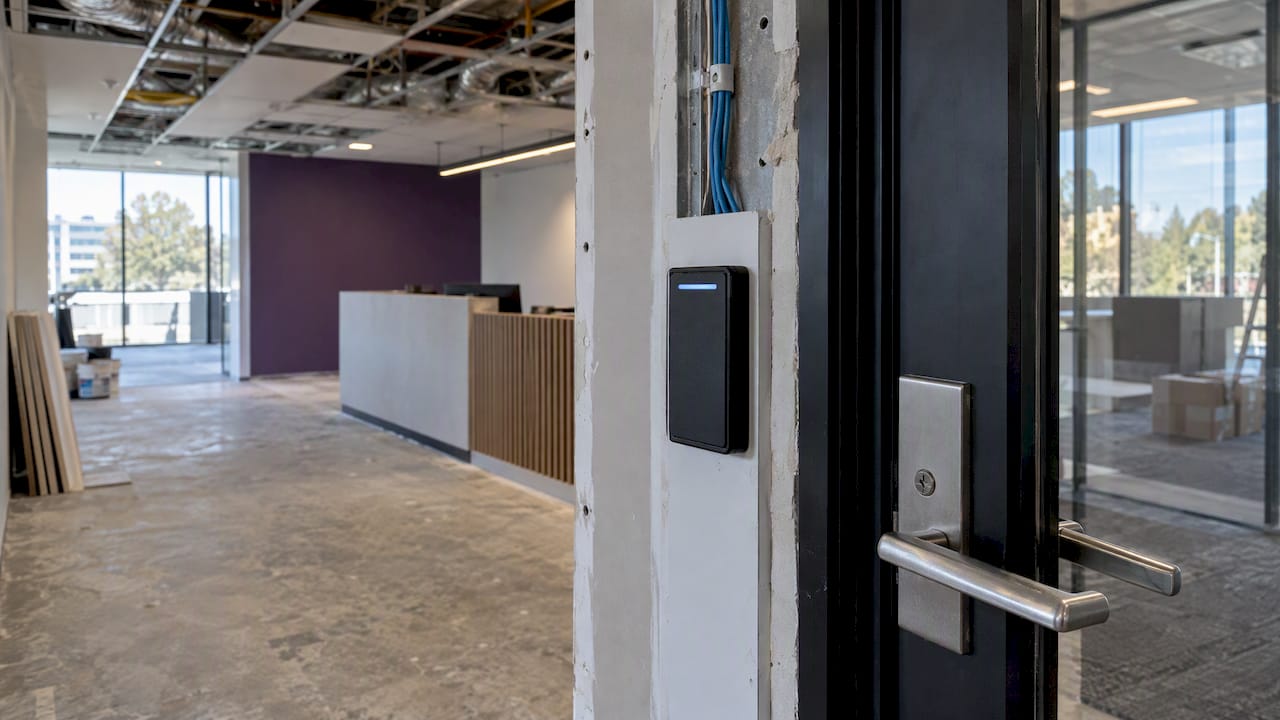
Most offices should shortlist four approaches: a cloud-hosted managed platform, a local on-premises system, a hybrid of the two, or standalone door controllers. The decisive choice is architecture, cloud versus local, because it sets your long-term cost and who looks after the IT. Check any shortlist against Australian Government security guidance, and consider coordinating the install through us during a fit-out.
TL;DR:
- One or two doors with no integration needs usually suit standalone controllers; several floors, multiple tenants, or shared reception points favor cloud or hybrid systems.
- Compare itemized quotes across the same ownership period because cloud subscriptions and local upfront costs hide different expenses; include hardware, cabling, labor, licenses, commissioning, and training.
- Before signing, survey every controlled door, confirm nearby power and network access, coordinate building restrictions, and plan temporary credentials and staff support for cutover.
- Treat readers, controllers, and servers as IT infrastructure: isolate them from general traffic, replace default passwords, assign patching responsibility, and test network and power failure procedures.
- Require evidence of relevant Australian Standards, endorsed cable installers, written warranty and response terms, plus a cabling and cutover plan tailored to the site.
Table of Contents
- Which access control system types suit which offices?
- How do the solution types compare side by side?
- How do you choose the right system?
- How should you prepare your office for installation?
- What compliance and physical security principles apply?
- What do access control quotes and ongoing support cost?
- How can access control connect with workplace systems?
- How do you make access control easy and accessible for everyone?
- How should you plan for growth and reorganisation?
- How do you protect access control from cyber threats?
- How do you train staff and manage the change?
- Why fold access control into your office fit-out?
- FAQ
- Sources
Which access control system types suit which offices?
Think of this as a shortlist, not a brand hunt. Industry commentary in 2026 warns managers against picking a brand before they have defined their requirements. Decide the architecture first, then the brands follow.
- Cloud-hosted managed platforms: best when you want little local IT maintenance and are comfortable with subscription pricing. Updates and remote management come from the provider.
- Local or on-premises systems: best when you prefer lower ongoing fees and want control in-house. Your team or integrator looks after the server and software.
- Hybrid models: local door controllers keep working on site, while cloud management handles users and reporting. A good fit for phased upgrades.
- Standalone door controllers or electronic locks: suitable for small offices or a handful of controlled doors, where central reporting is not a priority.
Visitor management and occupancy reporting deserve a line on your requirements list. Modern systems produce activity logs that help with compliance, security audits and occupancy tracking, which matters more as hybrid work spreads. If your team splits its week between home and the office, the access log becomes a useful data source, not just a security record.
A practical rule of thumb: one or two doors and no integration needs usually points to standalone. Several floors, multiple tenants or shared reception points push you toward cloud or hybrid.
How do the solution types compare side by side?
The table lines up each type against the decisions that usually drive the choice. Rows are generic categories, not products.
| Solution type | Best for | Typical cost model | Installation scope and who manages IT | Scalability and maintenance | Integration capability (HR, VMS, lifts) |
|---|---|---|---|---|---|
| Cloud-hosted managed platform | Multi-door and multi-site offices with limited IT staff | Subscription | Integrator installs readers and controllers; provider hosts the software | Add doors and users remotely; provider handles updates | Strong, usually through standard connections to HR and visitor tools |
| Local or on-premises system | Offices with in-house IT and a preference for control | Upfront purchase plus lower ongoing fees | Integrator installs; your IT or integrator maintains the server | Scales by adding hardware; you own patching | Good, but often needs custom work by the integrator |
| Hybrid | Staged rollouts and mixed-risk areas | Mixed upfront and subscription | Integrator installs; IT shares responsibility with provider | Flexible: add cloud features as needs grow | Strong where the cloud layer is used |
| Standalone door controllers | Small offices with a few doors | Low upfront, little ongoing | Often installed by a locksmith or electrician; minimal IT | Limited: each door is managed separately | Minimal |
Cloud platforms shift work from your IT team to the provider. You still need an integrator for the physical install, since readers, door hardware and cabling must be fitted and tested on site. The trade-off is the recurring fee, which suits businesses that prefer predictable operating costs.
Local systems suit organisations that already run servers and want data to stay on their own network. They usually need an external integrator for commissioning and fault response, even when your IT team handles day-to-day administration. Ongoing fees tend to be lower, but patching and backups become your responsibility.
Hybrid sits between the two. Controllers at the door keep working if the internet drops, while the cloud layer gives you remote user management and reporting. It is a sensible path when you want to upgrade one floor now and the rest later.
Standalone controllers are the one type many small teams can manage without external help for simple cases, though a licensed installer should still handle wiring to the building’s power. The limit is administration: with no central system, you update users door by door.
How do you choose the right system?
Work through these criteria in order: architecture, number of doors, integration needs, power and network readiness, budget model and maintenance plan. Architecture comes first because it changes every quote that follows.
Questions to put to every installer:
- What warranty do you offer on readers, controllers and labour, and what does it exclude?
- What service level and response time apply when a door fails or a user is locked out?
- Who performs the cabling, and are they endorsed cable installers?
- Can you provide references and case studies from offices of a similar size?
- What compliance evidence can you show for relevant Australian Standards?
- Will you supply a site-specific cabling and cutover plan before work starts?
- What does the maintenance plan cover, and what is billed separately?
- How do you handle firmware updates and security patches over the system’s life?
Trust signals matter as much as price. A reputable installer will offer references, explain their warranty plainly and be happy to quote against a written brief. Be cautious of anyone who cannot name who will do the cabling.
Pro Tip: Settle the architecture question before requesting brand quotes, and ask every bidder to show a site-specific cabling and cutover plan, not a generic brochure.
If you are about to refit your floor, sequence matters. Planning doors, ceilings and services together avoids cutting into new finishes later, and our guide to fire safety checks for office fitouts covers how door hardware and egress requirements interact.
How should you prepare your office for installation?
Good preparation removes most of the delays and variation costs that blow out access control projects. Run a site survey before you sign anything.
- Map every controlled door and write down who needs access, and during which hours. Include after-hours cleaners, contractors and visitors.
- Identify power and network points at each door and at the equipment location. Doors without nearby power or data are the usual source of extra cost.
- Confirm cabling expectations early. Structured cabling should be installed by endorsed cable installers, so check your installer’s credentials before the survey, not after.
- Coordinate with building management about service lifts, restricted work hours, tenant security zones and any shared doors you do not control.
- Plan temporary access arrangements for the cutover day, including who holds spare credentials and who staff call when a card fails.
- Brief staff in advance on when the changeover happens and what they need to do, such as registering for new credentials.
Allow time for door hardware as well. Electric strikes, magnetic locks and exit devices must suit the door type and comply with egress rules. If the work overlaps with ceiling or services routing, our notes on office acoustics standards and tender specs show how to coordinate trades above the ceiling line.
A short pre-start meeting with the integrator, the cable installer and building management saves more time than any single technical decision.
What compliance and physical security principles apply?
Two pieces of Australian Government guidance shape procurement for secure facilities. The Information Security Manual’s communications infrastructure guidelines cover structured cabling and sealed cable reticulation, including tamper-evident seals for shared facilities. If your office shares a riser or comms room with other tenants, these controls matter directly.
The second applies defence-in-depth to physical security. Its guidance uses security zones and extra protection for server rooms, and says network devices should be controlled or enclosed to prevent physical tampering and unauthorised resets.
Defence-in-depth in practice: layer your protection so that no single failed door, card or lock exposes the server room or network devices.
Treat the manuals as the reference for exact controls. For commercial offices, expect building management and structured cabling work to call for compliance with Australian Standards and installation by endorsed cable installers. The Protective Security Policy Framework also guides secure facility management, so ask your installer which parts apply to your tenancy.
What do access control quotes and ongoing support cost?
Published prices vary too widely by building and system to quote a typical figure honestly, so ask for itemised quotes instead. A good quote separates hardware, installation labour, cabling, software licences or subscriptions, commissioning and training.
Compare quotes on the same basis. A cloud quote with a monthly fee and a local quote with a larger upfront cost are only comparable once you add up the cost of ownership over the period you expect to keep the system.
Support terms are where cheap quotes often hide costs. Ask what the maintenance plan includes: remote fault diagnosis, on-site visits, firmware updates, battery and reader replacements. Check whether response times are written into a service level, and how after-hours failures are handled, since a locked front door at 7am is an operational problem, not a minor fault.
Warranty length and scope also differ. Some cover parts only; others include labour. Ask who pays when a fault turns out to be a cabling defect rather than a faulty reader.
If your project sits inside a broader refurbishment, ask the installer to price in coordination time with other trades. Our guide to managing your office fit out explains how those handovers usually work.
How can access control connect with workplace systems?
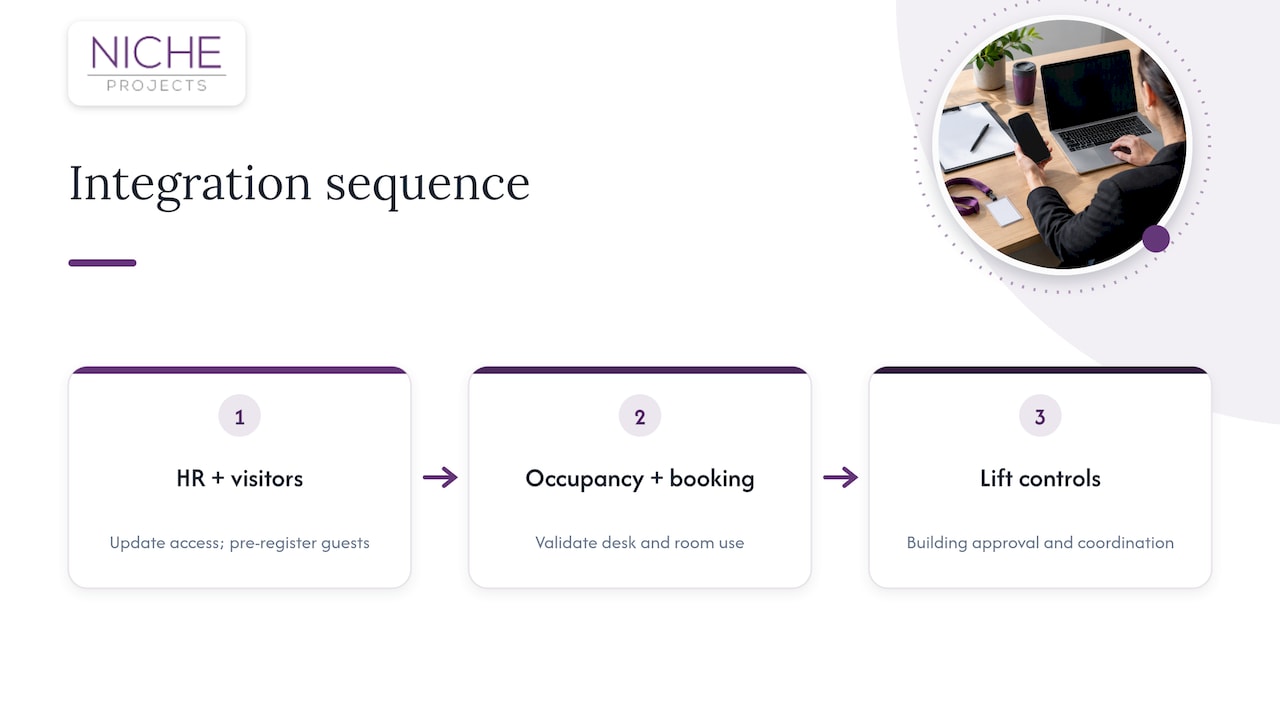
Access control becomes more useful when it shares data with the tools you already run. Typical connections include HR systems, so joiners and leavers update access automatically, and visitor management, so guests are pre-registered and badged at reception.
Occupancy sensors and room booking are the next layer. Door events show who has actually come in, which helps validate desk and room utilisation. Combined with booking data, they show whether booked rooms are used, and whether the floor is sized properly for a hybrid week.
Lifts matter in multi-floor buildings. Integration with lift controls can restrict floors by credential, but that usually needs approval and coordination with building management.
Be selective. Every connection adds a dependency and a potential security exposure, so connect only what answers a real question. Start with HR and visitor management, then add occupancy reporting once the basics run smoothly.
Ask vendors which integrations are standard and which need custom development, and who maintains them when either side updates. For the strategy side of this, our hybrid workplace strategy playbook looks at how attendance data feeds space decisions.
How do you make access control easy and accessible for everyone?
A secure system that staff avoid or bypass is not secure. Design for the whole workforce from the start.
Choose credentials that suit different needs. Cards and phone credentials work for most people, while some staff find small cards fiddly or do not carry a phone at their desk. Offer an alternative that is not a downgrade in security.
Door hardware needs attention too. Reader height, door weight, opening time and the force needed to push a door all affect people with mobility needs. Allow enough unlock time for someone using a wheelchair or carrying equipment. Our page on accessibility in the workplace covers obligations that touch door choices.
Think about the visitor journey as well. Clear signage, a visible reception process and a quick way to get a temporary credential reduce tailgating, because guests who are waved through become guests nobody checks. If you issue lanyards and holders for visitor and staff credentials, a supplier of lanyards and badge accessories can help with the practical items.
Finally, test with real users. A short trial with staff from different teams will surface problems a vendor demo never will.
How should you plan for growth and reorganisation?
Offices change: teams grow, floors are subleased, departments move. A system that cannot follow those changes will be replaced early.
Ask how many doors and users the platform supports and what each addition costs. With cloud platforms, adding users is often an administrative task; with local systems, extra doors may need new controllers and licences. Check whether licences are per user, per door or per site, since that changes the cost of growth.
Design access groups around roles and zones, not named individuals. When a team moves, you change group membership instead of editing hundreds of records.
Leave capacity in the physical install. Pulling extra cable while ceilings are open costs far less than opening them again, and installing conduit to likely future doors is cheap insurance. If you expect a refit within a few years, tell the integrator so the design can be staged.
Check what happens when you move premises. Some systems allow hardware to be redeployed; others are tied to the building. Ask about data export so your records and user lists are not locked in.
Reorganisations are also a chance to review who has access to what. Schedule a regular review of permissions, especially for server rooms and other sensitive areas.
How do you protect access control from cyber threats?
Modern access control sits on your network, so treat it as IT infrastructure. Readers, controllers and servers are devices that can be misconfigured, left on default passwords or missed during patching.
Start with network separation. Keep access control devices on their own segment, away from general staff traffic, and limit what they can reach. Change default credentials on every device at commissioning, and use unique administrator accounts with multi-factor authentication for the management console.
Patching is the next job. Ask the vendor how security updates are released and who applies them: the provider for cloud platforms, you or your integrator for local systems. Put it in the maintenance agreement.
Physical protection is part of cyber protection. The ISM’s physical security guidance calls for controlling or enclosing network devices to prevent tampering and unauthorised resets, so lock controllers in secured cabinets and keep them out of public areas.
Keep activity logs and review them. Unusual after-hours access, repeated failed attempts and credentials used in two places at once are all warning signs. Decide in advance who reviews logs and how often.
Plan for failure too. Know how doors behave if power or the network drops, and make sure safe egress is never compromised. Test the fallback, not just the normal case.
How do you train staff and manage the change?
Technology is the easy part. Effective access control is a process: registration, screening, authentication and clear procedures that everyone in the organisation actually follows.
Communicate early and plainly. Tell staff what is changing, why, when, and what they need to do. A short message a few weeks out, a reminder the week before and clear instructions on the day work better than one long announcement.
Train by role. General staff need to know how to use credentials and what to do if one is lost. Reception needs the visitor process. Administrators need user management, reporting and incident handling. Managers need to know how to request and approve access.
Run the changeover with support on hand. Have someone at each main entrance on day one to help with credentials and answer questions, and keep a visible contact for problems.
Reinforce the human side of security. Technology does not stop a staff member holding the door open for a stranger. Make tailgating a shared norm, supported by a lobby layout that makes it hard. Our notes on change management during an office refurbishment offer a useful template for communication.
Review after go-live. Collect feedback at two or three weeks, fix recurring friction, and set a date for the first permissions audit.
Why fold access control into your office fit-out?
If you are planning a refurbishment, the cheapest time to install access control is while walls, ceilings and cabling are already open. We coordinate fit-out work alongside other trades under one project, so you deal with a single point of contact instead of juggling a builder, an electrician and a security installer.
Our work covers workplace strategy, Sydney office design, office fit-out and refurbishment, and partitions and ceilings through our facility maintenance team. That makes access control one more scope item, planned alongside layout and services, not an afterthought.
We are not a replacement for choosing the right architecture. We help you fit it into the build neatly. If you are planning a fit-out or refurbishment and want access control built in from the start, talk to us about your project.
FAQ
What are the four parts of access control?
The industry commonly splits access control into identification, authentication, authorisation and accounting or auditing. Identification is claiming who you are, authentication verifies the claim, authorisation grants rights, and auditing records what happened.
What does an access control officer do?
The role varies by organisation, but it generally involves managing who is granted entry, maintaining credentials and records, and reviewing activity logs. In an office, this is often an office manager or facilities lead working with the installer.
Should an office choose cloud or local access control?
Choose cloud if you want low local IT maintenance and accept a subscription. Choose local if you prefer lower ongoing fees and have people to maintain the system. Hybrid suits staged upgrades.
Does access control need an endorsed installer?
Structured cabling and security systems should comply with Australian Standards, and cabling should be done by endorsed cable installers. Ask any installer for evidence of both before you sign.
What should an installer give me before work starts?
Ask for a site-specific cabling and cutover plan, a written warranty, a service level for fault response, and references from similar offices. A generic brochure is not enough.